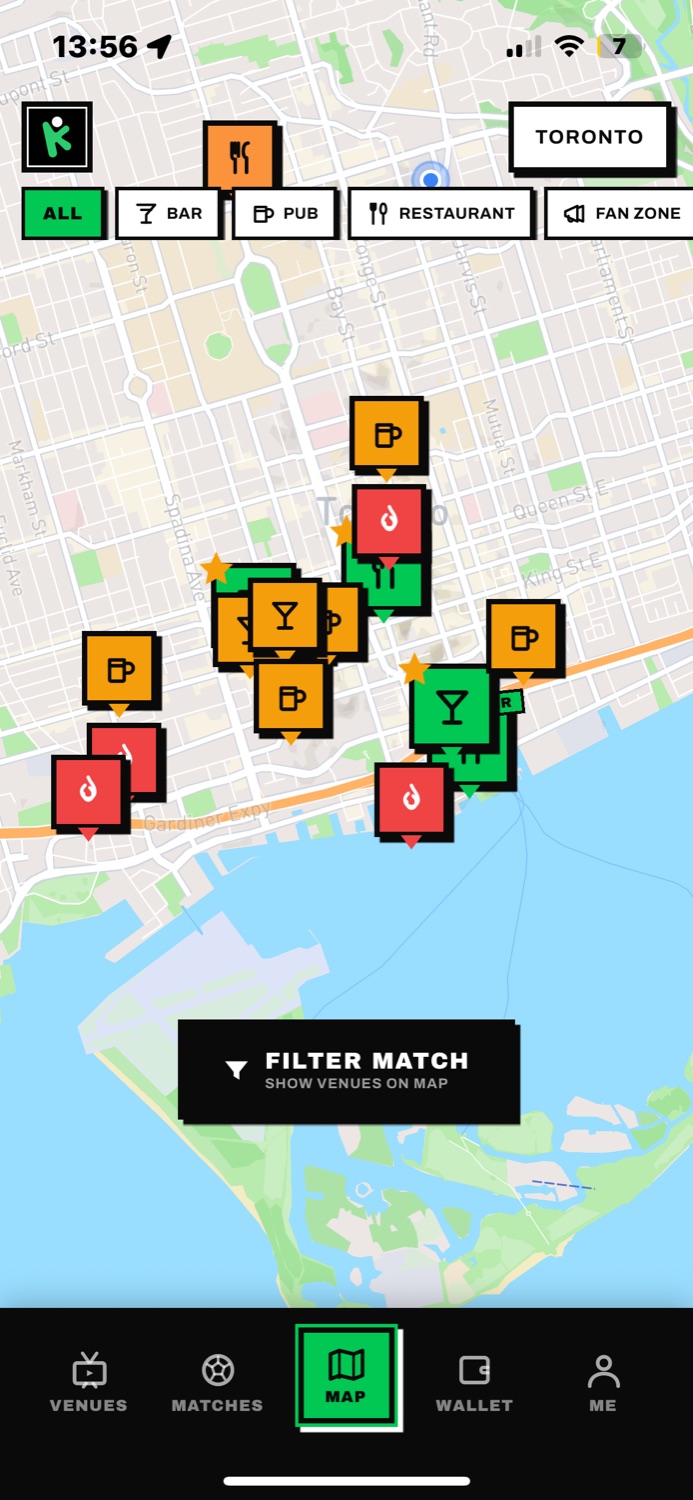
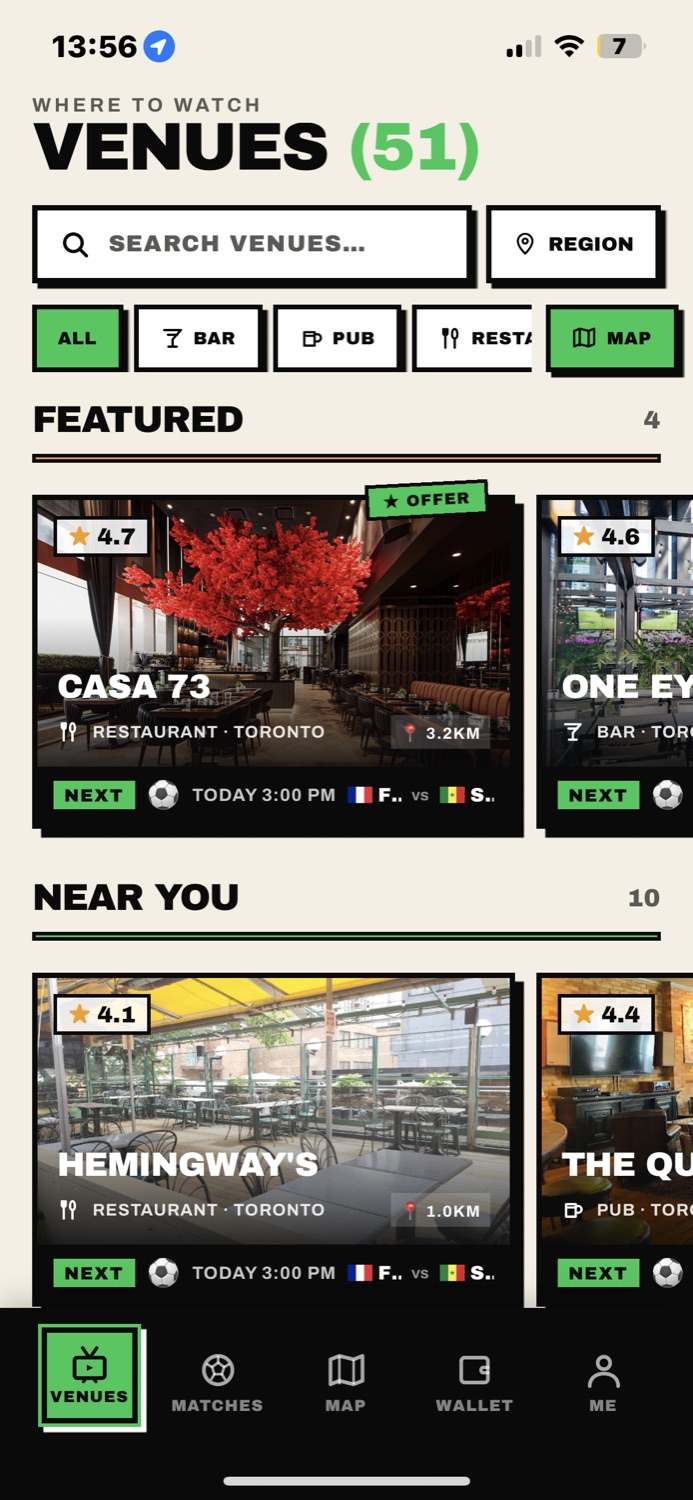
CrowdKick shows you nearby venues screening the matches you care about — with match-day food & drink deals you unlock right at the table.
No more group-chat scrambling or calling around. CrowdKick already knows which venues confirmed your match this week.
No sign-up, no setup — CrowdKick opens straight to what's on. Browse every match across six sports, switch sports in a tap, or search your team to filter the list.
Venues confirm each week which matches they'll have on. Browse the map or list, sorted by distance, and pick your spot before kickoff.
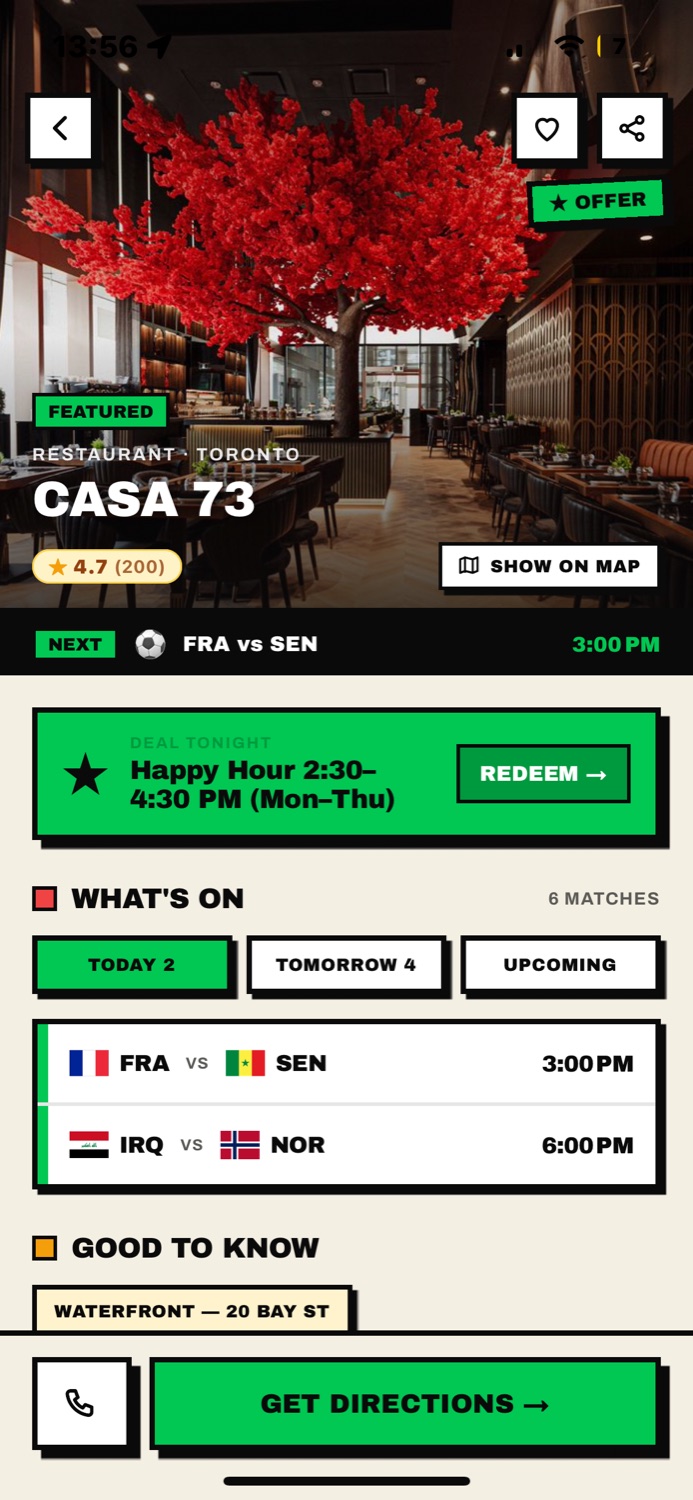
Many venues attach food & drink deals to specific matches. Tap redeem at the venue and show staff your code — that's it.
Venues run offers tied to specific matches — wings during the derby, pitcher specials for the playoff game. When you're there, tap Redeem and show the QR code to staff. One tap for you, one scan for them.
CrowdKick puts your venue in front of fans actively looking for somewhere to watch — the night they're deciding where to go.
We're live in the Greater Toronto Area, with more cities on the way. Open the app and allow location — or search "Toronto" — to see nearby venues showing your matches.
Yes — free to download and free to use. Browsing venues doesn't even require an account; you only sign in when you redeem a deal, so the venue can verify it.
Only to sort venues by distance while you're using the app — "When In Use" permission, never in the background. You can also browse without sharing location by searching a city. Details in our Privacy Policy.
Open the venue's card in the app, tap Redeem while you're there, and show the QR code (or read the short code aloud) to staff. Each code is single-use and expires after a few minutes.
Confirm which matches you'll show each week and fans can find you. Match-tied offers and redemption tracking are how venues compete for the crowd — tell us about your venue and we'll get you set up.
Free on iOS · Live in the Greater Toronto Area
 CrowdKick